if you feel bore and want to relax
Enjoy www.afcgame.com

Showing posts with label Reader. Show all posts

Sunday, August 29, 2010

pRSSreader v1.45

pRSSreader v1.45 | Read more...
Price: free

Description
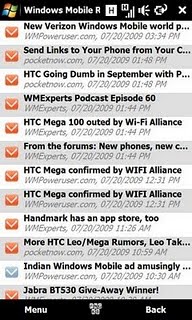
pRSSreader is an application for reading RDF and RSS feeds on PocketPC.

What's New in 1.4.5
- Gesture support for article view in touch friendly mode
- Shift right switches to next article
- Shift left switches to last article

pRSSreader is Small and fast.
Features:
  • Small
    pRSSreader is very small application. It takes about 300 KB of your PDA memory.
  • Formats
    pRSSreader can handle many versions of feeds: RSS 0.90, 0.91, 0.92 and 2.0, RDF 1.0 and Atom 0.3.
  • Site Manager
    Site manager allows you to subscribe to sites you want to read. You can group your feeds into folders and you can set up feed options such as displaying on the Today screen, caching options, etc.
  • Items
    pRSSreader can mark feed items with three states: new, unread and read. Those states are preserved between starts of pRSSreader. You can sort the feed items or you can hide already read items.
  • Sequential reading
    Once you start reading, you can read from the start to the end without getting back to the main window to switch between items or even feeds.
  • Customizable
    pRSSreader is quite customizable. You can set up appearance of reading dialog, change font sizes, enable clear type, set the location of cache or an external browser for viewing the whole messages and many more.
  • Caching
    pRSSreader have quite powerful caching abilities, it can cache images included within feeds, enclosures and it can also cache online pages for offline browsing.
  • Cache Manager
    Use Cache Manager for maintaining your cached content. You can delete whole cache as well as single files (from 1.3.0).
  • Import/Export
    You can import your OPML file from the Internet or from your local file system as well. pRSSreader can also export your OPML file.
  • Updates
    You can update your feeds manually or you can also let pRSSreader to update your feeds automatically. Then they will be updated periodically (you can select the update interval).
  • Today screen
    pRSSreader has integration with Today screen. It can simply display the number of new/unread items or can cycle feed names or even items from a feed. The plugin is compatible with Pocket Breeze.
  • Summary View
    The summary view shows you the number of new/unread/total items in your feeds. You can also use it to switch between your feeds very quickly.
  • Keywords
    You can enter a list of keywords and pRSSreader will show you feed items that includes those keywords (from 1.3.0).
  • Proxy Support
    pRSSreader supports HTTP, SOCKS4 and SOCKS5 proxy servers (from 1.3.0).
  • HTTP Authentication
    pRSSreader can access HTTP pages protected with Basic or Digest authentication (from 1.3.0).
  • Localizations
    pRSSreader is localized into Czech, Dutch, French and Spanish language (from 1.3.0).
  • HTML Optimizer
    You can use HTML optimizer (such as Skweezer) to get online content optimized for PDA screens. You can also define custom rules to get online content prepared for PDAs by a content provider (from 1.3.2).


Requirements:
Windows Mobile Pocket PC

Tuesday, June 22, 2010

CSV Reader v1.20

CSV Reader v1.20 | Read more...
Price: Free

Description
Please follow the instructions to create an error free .CSV file
The file should have ".csv" extension
Save the file in "UTF-8" encoding as follows:
After creating the file,
Open the file in Notepad.
Click "File" Menu
Select " Save as"
Add ".csv" as file extension in fileName
Select "All files" in save As type
Select "UTF-8" in encoding (This is very important)
CSV reader can be used to open .csv files with reference to picture files offollowing types.
bmp
jpeg
png
gif
.gif -animated
The csv file can be made in excel,notepad etc and after that shall be saved in notepad as mentioned above.
The pictures shall be saved to Storagecard\CSVReader folder, in your device.
Just type the name of the picture file with extension in the csv file.

Requirements:
Windows Mobile Pocket PC 5 , 6 , 6.1

Thursday, May 27, 2010

Speeed Reader v1.15

Speeed Reader v1.15 | Read more...
Description
Google Reader Client for Windows Mobile devices.

First things first, what is Google Reader? Google Reader is an online RSS aggregating tool used to pull in RSS feeds from your favorite websites, such as CNN.com, ESPN, hiphopdx.com, etc. RSS feeds are the pure contents (articles, pictures, etc.) of a website.

Speeed Reader is a Google Reader client for Windows Mobile devices. It connects users to their Google Reader accounts, allowing them to view and share articles on their mobile device.

Here are some key features of "Speeed Reader":
· Access feeds in your Google Reader account
· Share articles by text message, email, or Twitter
· View articles offline without an internet connection
· Finger friendly user interface and browser
· Ability to hide read articles and subscriptions

What's New in This Release:
· This release fixes one bug: Some feeds with weird characters in the URL may not be marked as read correctly.

Requirements :
Windows Mobile 6.x, .NET Compact Framework 3.5 Redistributable.

Wednesday, May 19, 2010

LateReader v0.10


LateReader v0.10 Read more...
Price: Free

Description
Late Reader is a Windows Mobile application for reading your Read It Later lists. Actually this application does (or aims) more than just reading your list. You can search, sort your list, download pages for offline reading. Share your list items with others. And more. Please note that this is a .NET application and requires .NET CF 3.5+ to be installed on your device.

Late Reader v0.1.0

- C# API wrapper for RIL web based API
- Login
- Signup
- Reading List UI
- Page Text rendering (I am doing this from scratch as the .NET WebBrowser component seems to be unusable for me)
- Currently Reading (Remembers what you were reading last time)
- Syncing with the RIL server
- Storing the list and Page Texts for offline viewing
- favicon image display in reading list
- Mark as Read/Unread functionality in the reading list
- Search in reading list
- Sorting in reading list
- Kinetic scrolling in Page Text display
- Currently reading context menu
-fontsize: tiny, small, normal, large, huge
-show more/less (depending on the current mode),
-show full in browser
-update pagetext (download again)
- Threaded syncing
- Use of codepages in Currently Reading view
- Get only list as an option
-Show whether pagetext is available with an icon
-Let the user mark items for downloading with the next sync
-By default do not download READ item page text
-Make this an option
- [FIXED]reading list does not update after a sync (at least the sorting is not applied)
- [FIXED]currently reading mode (less/more) is not stored
- [FIXED]When no text is available in Currently Reading Panel a message indicating less mode is shown, but sometimes the same thing happens in more mode as well
- [FIXED]Better rendering of PRE/CODE tags
- [FIXED]Every form is displayed as a separate app in task managers, we should have only one item instead
- [FIXED]Some items are displayed twice in All view (maybe read items?)
- [FIXED]max mode of main form is sometimes hindered with the title bar (especially after a long running sync operation)


Planned Features

- Item Title/Tags? editing
- Better UI
- Better rendering (more html tag support) in the Page Text display
- Pinch zooming in the reading list and Page Text display
- Application Settings UI
- Image download/display option in the Page Text display
- Better Application icon
- Share (twitter, facebook, email)
- ! Paging in currently reading (better memory management)
- Show progress info during syncing
- Currently reading context menu - share (twitter, facebook, email)
- Shake based URL add (with a translucent form with two buttons: "Read It Later" and "Open Late Reader")
-for Opera 10
-for other browsers later
- Archieve
- Tags Chooser (like in blog page tags)
- Delete an item
- Application settings
- Reading bg color/fgcolor selection
- Better rendering of long words (words longer than a line should be splitted)
- Page transition effects (from main form to reading list, reading list to currently reading)
- check connection state and open upon user approval during
-sync
-open in external browser
-share via email,facebook,twitter
-update pagetext
- Download/display page images
- Rotate/auto rotate
- Reading list button animation (Button down effect)
- Kinetic scrolling in reading list
- Store currently reading scrollposition
- Performance improvement
-Optimize justified text rendering
-Decrease memory usage (easily reaches 5-6 MB currently)
- Handle "Login Needed" response type for page text downloading
- Handle "Next Page" in a response to pagetext downloading
-Add option to download next page as well
-Add option to select max number of next pages to follow (depth of download)
-Display next page following the normal text page in the "Currently Reading" view
- Full screen option in Currently Reading view (in context menu)
- Statusbar for displaying number of items ec. in the list
- Option to delete pagetexts of read pages
- Faster "mark for download" with a switch control (suggested by spyrale)


Bugs/Annoyances

- SIP auto activate/deactivate when focus enters/exits text boxes
- error messages generated by RILAPI are not displayed at all (maybe not generated correctly?)
- favicon is not correctly drawn (transparency issue)
- tag defined favicons are not currently downloaded


Credits

* First of all thanks to xda-developers forum user zefiltrin (hugocbp) for the idea (see his thread), also thanks to other members on that thread for their comments
* LateReader uses Sense SDK, and I must admit that this wonderful library freed me from hundreds of lines of custom drawing code.
* I used Majestic12 HTML parser for parsing page texts
* Finally I must thank to the makers of Read It Later

Requirements:
Windows Mobile Pocket PC 5 , 6 , 6.1 .NET CF 3.5
Tuesday, May 18, 2010

Speeed Reader v1.15

Speeed Reader v1.15 | Read More...
Price: Free

Description
Speeed Reader is a Google Reader client for Windows Phones. It connects users to their Google Reader accounts, allowing them to view and share articles on their Windows Phones.

Follow Speeed Reader on Twitter for application updates and support! (http://twitter.com/SpeeedReader)

Finally, license key for Speeed Reader: 858Bf079Jj

Release History
v0.94 – March 22, 2010
* Enhancement: Implemented Google Reader’s new authentication model

V0.93 – November 19, 2009
  • Bug Fix: Crash when starting Speeed Reader with cachning disabled (introduced in v0.92)
  • Bug Fix: Minor layout issues in the UI


  • V0.92 – November 18, 2009
    • Bug Fix: Passwords containing ‘&’ result in login issue (fixes login issue for some users)
    • Bug Fix: Search index always zero
    • Bug Fix: Not requesting all new articles in last refresh (with caching enabled)
    • Bug Fix: Crash when starring a reading list article
    • Bug Fix: Reading List, Starred, Shared Lists unreadable when coming out of offline mode

    • V0.91 – November 11, 2009
      • New Feature: 2 new themes (Noir – dark/black, Beach – coral/turquoise)
      • Enhancement: When navigating between multi-page lists, Speeed Reader will remember your page
      • Enhancement: Added bytes transferred (estimate) to the about screen
      • Enhancement: General Performance Increases/Memory Management
      • Bug Fix: Storage Card in Non-English Locale’s Not ID’d Correctly
      • Bug Fix: Clicking last item in reading list causes a crash
      • Bug Fix: Download More articles index is inaccurate

      • V0.90 – October 23, 2009
        • New feature: Article Caching/Offline mode
        • New feature: Search
        • New feature: Share articles via email/sms
        • New feature: Download more articles for tag reading list
        • New feature: Mark (new) articles unread
        • New feature: Hide read subscriptions and articles
        • Enhancement: Now using Bit.ly for URL shortening
        • Enhancement: Dynamic manual article refreshing
        • Enhancement: Progress bar is back
        • Enhancement: Correct font sizes for QVGA devices
        • Enhancement: Newly designed settings UI
        • Enhancement: New Mirabyte Controls module
        • Bug Fix: Feed URLs contain ‘?’ now load correctly (no more “There are 0 articles to read”)

        • Future Features
          • Article caching and offline modes
          • Search
          • Some subscriptions will not have articles associated with them. If you click on a subscription and nothing happens, this is the issue.
          • Known Issues (to be fixed in future releases)
            • Any changes made to subscriptions, tags, etc. in the desktop client will not be reflected in Speeed Reader unless you restart the application

    Requirements:
    Windows Mobile Pocket PC/Standard 5 , 6 , 6.1
    .Net CF 3.5

    Thursday, May 6, 2010

    Comic Reader Mobile 2.0.3

    Comic Reader Mobile v2.0.3 | Read More...
    Price: Free
    Language: English

    Description
    Comic Reader Mobi is the best Comic Book and manga reader for mobile devices.

    Features

    · Autosizing lens. Just tap on any text, and the lens will zoom in on just that part. Finally you can see the whole comic as the artist intended without sacrificing readability!
    · Native support for zips, and rars files.
    · Autobookmarking. Comic Reader Mobi remembers your last position in every file, and even in every series. Switch between them without ever having to worry about losing your place.
    · Next page is prebuffered so there is no lag between pages
    · High quality Image resizing ensures that images look their very best
    · Bring up the transparent onscreen controls by douple clicking on the page, or pressing the lower corners
    · Automatically checks for updates
    · bindable keys, zoom in, out or change pages with any dpad or keyboard button you want
    · Associates with cbr,cbz and other comic formats

    Requirements:

    · Windows Mobile 2003 or higher (Windows Mobile 5.0 or higher recommended)
    · .NET Compact Framework 2.0 or higher
    · 9mb of free memory (15mb recommended)
    · 2mb of free space

    Sunday, May 2, 2010

    IMDb Mobile 0.6

    IMDb Mobile v0.6
    Description
    IMDb Mobile is a fairly new app and the developer has recently announced that this will be his final version of the app. The app has come a long way from its initial release and now has quite a bit of features. According to the developer the features include
    • Screen/Orientation Independent
    • User Ratings/Reviews
    • External Reviews
    • Search Movies/TV/Video Games/Actors
    • Finger-friendly interface
    • DVD Covers
    • Actor Headshots
    • Trivia
    • Quotes
    • Photos
    • Top 250
    • Coming Soon List
    • Videos/Trailers
    • Goofs
    • App-To-Date Support
    • TV Episode Listings
    • Parental Guide Info
    • Movie Certificates
    Requirement
    WM5, 6 or higher

    Wednesday, April 28, 2010

    Speeed Reader 0.94

    License: Free
    Price: Free

    Description
    Speeed Reader is a Google Reader client for Windows Phones. It connects users to their Google Reader accounts, allowing them to view and share articles on their Windows Phones.

    Follow Speeed Reader on Twitter for application updates and support! (http://twitter.com/SpeeedReader)

    Requirements:
    Windows Mobile Pocket PC/Standard 5 , 6 , 6.1
    .Net CF 3.5

    Chuck Norris Facts 1.00

    License: Free
    Price: Free

    Description
    If you need a quick laugh, just fire it up and read a great facts about Chuck Norris!

    When you read a fact that you think is extra funny you can send it to a friend (as a text message). Share the laughter!

    I know the chuck norris fact hype is not very current anymore, but I still get a (roundhouse) kick out of them, so if you do too, then check out the app.

    Requirements:
    1. Windows mobile phone/pda (WVGA resolution)
    2. Windows 6.5 (will probably work on earlier versions as well)
    3. .Net3.5 Compact Framework
    4. Internet access on your phone/pda

    Saturday, April 24, 2010

    QuickMark barcode reader 3.86

    License: Free
    Price: Free

    Description
    Scan 2D-barcodes with your device camera !
    QuickMark is a 2-D barcode system designed for mobility electronic devices with camera module (such as camera phones, PDA, smart phones, Webcams, scanners, decoders and etc.) The system provide encode, make code, decode tools and application service. It's a light, quick and easy to use application. QuickMark can simplify the original tedious operate process on cell phones. With low gap, only 3 hundred thousand pixel cameras are required, any user can download the decode software free from QuickMark website.

    Requirements:
    Windows Mobile device with camera

    Sunday, April 18, 2010

    Mobiletag barcodes reader 3.05

    License: Free
    Price: Free

    Description
    Available for HTC Touch HD/HD2,Touch Pro/Pro2 and Touch Diamond/Diamond2. Also compatible with Samsung i8000 Omnia2, i900 Player Addict, B7610 (Louvre) and Acer F1 (newTouch S200). mobiletag barcodes reader is a free application allowing you to read any type of direct or indirect barcodes (Datamatrix, flashcode, fotokody, QR Codes, 1D UPC, EAN 13), by simply using your Windows Mobile devices’s camera. mobiletag application is a universal reader also integrates a price comparator: scan to compare product prices and find the best web or local store offers. mobiletag barcodes reader enables quick and easy access to your favorite web contents (videos, pictures, news, MP3…) and mobile functionality such as Vcard or text message. Simply open the application, follow the instructions on the homepage, aim the barcode with your camera and start experiencing mobile web contents without having to type anything at all. mobiletag barcodes reader for Windows Mobile devices works with any carriers (SFR, Orange, Bouygues Telecom, NTT DoCoMo, Vodafone, AT&T;, Sprint, Verizon, Telefonica, O2, T-Mobile…). Languages : French and English. Application update issue has been fixed.

    Requirements:
    Windows Mobile Pocket PC: 5 , 6 , 6.1, 6.5 Available currently for: HTC Touch HD/HD2, HTC Touch Pro/Pro2, HTC Touch Diamond/Diamond2, Samsung i8000 Omnia2, Samsung i900 Player Addict, Samsung B7610 (Louvre) and Acer F1 (newTouch S200).

    Tuesday, March 30, 2010

    Mobiletag Barcodes Reader 3.03

    License: Free
    Price: Free

    Description
    Available for HTC Touch HD/HD2,Touch Pro/Pro2 and Touch Diamond/Diamond2. Also compatible with Samsung i8000 Omnia2, i900 Player Addict, B7610 (Louvre) and Acer F1 (newTouch S200). mobiletag barcodes reader is a free application allowing you to read any type of direct or indirect barcodes (Datamatrix, flashcode, fotokody, QR Codes, 1D UPC, EAN 13), by simply using your Windows Mobile devices’s camera. mobiletag application is a universal reader also integrates a price comparator: scan to compare product prices and find the best web or local store offers. mobiletag barcodes reader enables quick and easy access to your favorite web contents (videos, pictures, news, MP3…) and mobile functionality such as Vcard or text message. Simply open the application, follow the instructions on the homepage, aim the barcode with your camera and start experiencing mobile web contents without having to type anything at all. mobiletag barcodes reader for Windows Mobile devices works with any carriers (SFR, Orange, Bouygues Telecom, NTT DoCoMo, Vodafone, AT&T;, Sprint, Verizon, Telefonica, O2, T-Mobile…). mobiletag works with flashcode (France) and fotokody (Poland) eco-systems. Languages : French and English. (Other languages are coming soon).

    Requirements:
    Windows Mobile Pocket PC: 5 , 6 , 6.1, 6.5 Available currently for: HTC Touch HD/HD2, HTC Touch Pro/Pro2, HTC Touch Diamond/Diamond2, Samsung i8000 Omnia2, Samsung i900 Player Addict, Samsung B7610 (Louvre) and Acer F1 (newTouch S200).

    BN eReader 1.00

    License: Free
    Price: Free

    Description
    Barnes & Noble BN eReader
    is application which you can use to access your Barnes & Noble account and read ebooks. Once logged in you can go back to the app and you can begin to download 2 free ebooks (only three to choose from:)). Once you choose one it will download it and then you can open and read the ebook. You can read overviews by tapping on the ebook from the homescreen and if you like it buy it or shop for more ebooks. This happens through the browser where you pick a book and when you go back to the app you push ‘sync’ and then it appears in your list to download.

    Requirements:
    Windows Mobile Pocket PC 5 , 6 , 6.1
    .NET Compact Framework 3.5
    VGA and WVGA

    Thursday, February 18, 2010

    Freda 1.10

    License: Free
    Price: Free

    Description
    Freda is a free program for reading electronic books (ebooks) on Windows Mobile devices. Features:
    • Compatible with Windows Mobile versions 6, 5 and 2003
    • Reads ePub (DRM-free), HTML and TXT format books
    • Touch screen interface
    • Works with all screen dimensions and orientations
    • Customisable controls, fonts and colours
    • Dictionary lookup
    • Bookmarks and annotations
    Requirements:
    Windows Mobile Pocket PC 2003, 5 , 6 , 6.1
    .NET Compact Framework 3.5

    Monday, January 25, 2010

    CSV Reader 1.00

    License: Free
    Price: Free

    Description
    CSV Reader lets you load and browser CSV (comma separated) files. The interface is really simple and easy to use, just load the file and select the column and criteria.

    Requirements:
    Windows Mobile Pocket PC 5 , 6
    .NET Compact Framework 3.5

    Sunday, December 20, 2009

    Freda 1.00

    Freda v1.00 | Download
    License: Free
    Price: Free

    Description
    Freda is a free program for reading electronic books (ebooks) on Windows Mobile devices. Features:

    * Compatible with Windows Mobile versions 6, 5 and 2003
    * Reads ePub (DRM-free), HTML and TXT format books
    * Touch screen interface
    * Works with all screen dimensions and orientations
    * Customisable controls, fonts and colours

    Installation Instructions:
    To install via ActiveSync ActiveSync is the preferred method for software installation on Windows Mobile devices. To install the package in this way:

    1. On your Windows PC, download and run the Windows Desktop setup (MSI) program from here.
    2. Once the setup program has finished, connect your Windows Mobile device to the PC, and wait for ActiveSync to begin synchronisation
    3. ActiveSync will launch the installation process automatically; follow the instructions that appear on your PC screen, and on the screen of your Windows Mobile device. Depending upon the security settings on your device, you may receive security warnings about various components of the program. For the program to be installed correctly, you must accept these warnings, asking the installer to proceed regardless.

    Requirements:
    Windows Mobile Pocket PC 2003, 5 , 6 , 6.1
    .NET Compact Framework 3.5

    Sunday, December 6, 2009

    SBSH GoNews Touch 1.2

    License: Free
    Price: Free

    Description

    GoNews Touch is the first personally-configured newspaper solution for your Smart-phone device! GoNews Touch is a news-reader application that aggregates headlines and articles from across the internet based on your personal configuration and caches it automatically to your Smart-phone device, creating a newspaper-like interface that allows you to read through the daily headlines and articles even when your device is offline while you are on the move!

    GoNews Touch Highlights

    Powerful News Reader - Supports RSS, Full Text articles using template-parsing, article images and more!
    Offline Aggregation - Grab news of your interest and read it even when you're offline
    Touch Designed - Designed specifically for use with Touch devices leaving your stylus far behind

    Requirement

    WM5 or later

    Monday, November 23, 2009

    Speeed Reader v0.93

    License: Free
    Price: Free

    Description

    Speeed Reader is a Google Reader client for Windows Phones. It connects users to their Google Reader accounts, allowing them to view and share articles on their Windows Phones.

    Bug Fix: Crash when starting Speeed Reader with cachning disabled (introduced in v0.92)
    Bug Fix: Minor layout issues in the UI

    Requirements:
    Windows Mobile Pocket PC/Standard 5 , 6 , 6.1
    .Net CF 3.5

    Friday, November 20, 2009

    Speeed Reader v0.92

    License: Free
    Price: Free

    Description

    Speeed Reader is a Google Reader client for Windows Phones. It connects users to their Google Reader accounts, allowing them to view and share articles on their Windows Phones.

    Requirements:
    Windows Mobile Pocket PC/Standard 5 , 6 , 6.1
    .Net CF 3.5

    Wednesday, November 18, 2009

    Days 2 Birthday v1.00

    License: Free
    Price: Free

    Description
    Days 2 Birthday creates a list of birthdays from your Outlook contacts. The birthday list will be arranged in date order. This will give you a quick look at whose birthdays are coming up and how many days until a birthday event arrives.

    Requirements:
    Windows Mobile Pocket PC 5 , 6